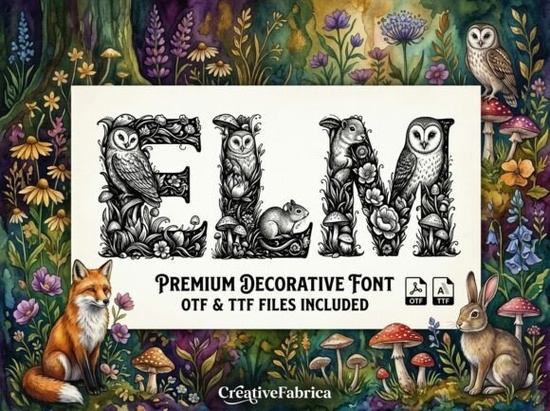
If you've ever wanted a typeface that feels like it belongs on the cover of a fairy tale, the Elm Font is worth a close look. This decorative typeface is built from detailed woodland illustrations owls, squirrels, mushrooms, and ivy woven into every letterform. It's not just a font; it's a tiny piece of forest art for each character you type. Designers, crafters, and small business owners who work with fantasy themes, nature branding, or whimsical kids' projects will find it especially useful.
What makes the Elm Font different from other decorative fonts?
Most decorative fonts rely on bold shapes, swashes, or textured fills. Elm takes a different approach by composing each character from hand-drawn woodland creatures and botanical elements. The result is a font that reads clearly at larger sizes while still delivering rich, illustrative detail. You won't find generic ornament here every letter tells a small nature story.
Compared to something like Aftab, which leans into ornamental Eastern-inspired patterns, or Pirate, which carries a rugged adventurous feel, Elm sits firmly in the woodland-storybook space. It fills a niche that many designers struggle to find with the right typeface.
What projects work best with this forest-themed typeface?
This font works well anywhere you want to evoke a forest or fairy-tale mood. Here are some popular uses:
- Book covers and chapter headings for indie fantasy or children's books
- Nursery wall art prints with animal or nature themes
- Social media headers and Pinterest graphics for nature or cottagecore accounts
- Branding for nature-themed businesses like organic product lines, botanical shops, or nature documentaries
- Print-on-demand products such as tote bags, mugs, and greeting cards with forest aesthetics
- Scrapbooking and journaling layouts with a woodland twist
How do you pair Elm with other fonts?
Because Elm is highly decorative, it pairs best with clean, simple typefaces. Use it for headlines, titles, or short display text, then choose a readable sans-serif or a gentle serif for body copy. This contrast keeps your design balanced and legible without competing against the detailed illustrations.
If you're building a full project and want to explore more themed options, you can browse the Elm font collection on Creative Fabrica along with other display typefaces in the same style family.
Is this font easy to use if you're just starting out?
Yes. Like most standard decorative fonts, Elm installs through your operating system's font manager and works in popular design software like Adobe Illustrator, Photoshop, Canva, Procreate, and Cricut Design Space. After installation, you simply select it from your font menu and start typing.
A few things to keep in mind:
- Size matters. Because the illustrations are detailed, the font looks best at larger sizes. Very small text may lose some of the finer details in each character.
- Color can enhance the effect. Try dark greens, earthy browns, or muted golds to reinforce the woodland feel.
- Spacing helps readability. Give the letters a little extra tracking so the illustrated elements don't crowd each other.
Where can you download the Elm Font?
You can find Elm available on Creative Fabrica's decorative fonts section, along with thousands of other display typefaces. Depending on your subscription, it may be included at no extra cost or available for individual purchase. Before buying, check the license to confirm it covers your intended use whether that's personal projects, commercial print-on-demand, or client work.
If you enjoy exploring themed fonts, you might also like Aftab for ornamental designs or Pirate for adventure-inspired projects. Each brings a distinct personality that works well alongside Elm in a designer's toolkit.
Quick checklist before you start designing with Elm
- Download and install the font file on your device.
- Open your design tool (Canva, Illustrator, Photoshop, etc.) and verify the font appears in your font list.
- Use it at larger sizes start at 36pt or above for the best visual impact.
- Choose a simple companion font for any body text or supporting copy.
- Experiment with color palettes that match the woodland theme: forest greens, warm browns, soft creams.
- Check the license before using in commercial or print-on-demand projects.
Next step: Download Elm, open a blank canvas, and type out a short phrase like a book title or shop name. Try two or three color combinations and see which one captures the forest mood you're going for.
Explore Design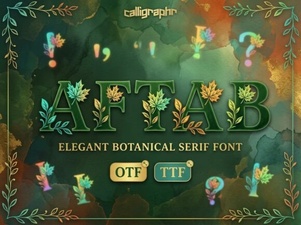 Aftab Font: Elegant Typography for Creative Design Projects
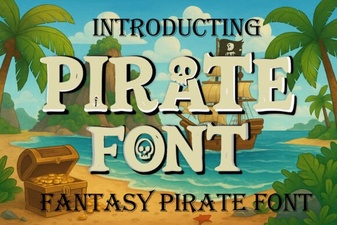 Pirate Font Styles for Bold Creative Design Projects
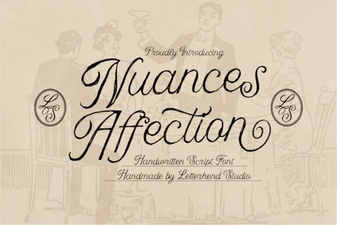 Nuances Affection Script Font – Elegant Handwritten Typeface for Creative Projects
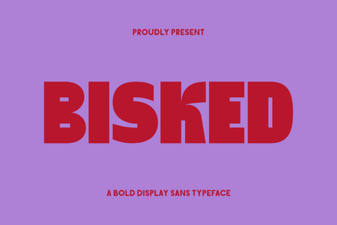 Bisked Font: Bold and Creative Typography for Modern Design
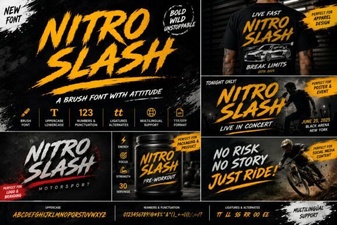 Nitro Slash Font: Bold Stylistic Edge for Creative Designs
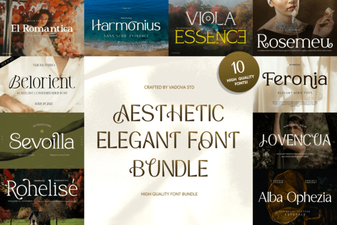 Beautiful Aesthetic Font Bundle for Elegant Creative Designs