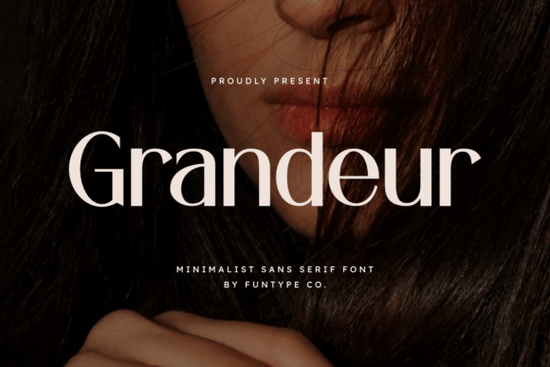
If you've been looking for a typeface that feels both bold and refined, Grandeur is worth a close look. It's a minimalist sans serif with a solid structure and clean lines designed for projects where you need your typography to look confident and polished. From luxury brand logos to high-impact digital posters, this bold minimalist typeface covers a wide range of design needs without feeling overdone.
Let's take a closer look at what makes this font a practical choice for your next project.
What Makes Grandeur Different From Other Bold Sans Serifs?
There's no shortage of bold sans serifs out there. So what sets Grandeur apart?
It comes down to balance. Grandeur doesn't try to be trendy or decorative. Instead, it focuses on precision. Every letter feels intentional thick enough to grab attention, clean enough to stay readable at any size. That combination is harder to find than you'd think.
Most bold sans serifs lean either too heavy or too geometric. Grandeur sits in that sweet spot where strength meets elegance. It looks great at large display sizes for posters and headlines, but it also holds up well in smaller text for subheadlines and taglines.
It's available in both OTF and TTF formats, so you can use it in virtually any design tool Adobe Illustrator, Photoshop, Canva, Procreate, Cricut Design Space, and more.
What Can You Use This Font For?
Grandeur is built for high-impact visuals. Here are some specific ways designers and sellers are putting it to work:
- Luxury branding Business cards, letterheads, and packaging for premium products. The clean structure gives off a high-end feel without relying on serif flourishes.
- Fashion logos The minimalist weight and balanced proportions make it a strong choice for clothing brands, boutiques, and accessory lines.
- Digital posters and social media graphics Bold headlines that pop on screen. Perfect for Instagram posts, YouTube thumbnails, and event promotions.
- Print-on-demand products T-shirts, mugs, tote bags, and wall art. A strong sans serif like this works well for motivational quotes, brand names, and minimalist designs that sell.
- Website headers Clean, modern, and easy to pair with body text fonts.
Whether you're a freelancer building a brand identity or a small business owner designing your own marketing materials, Grandeur adapts to the context without losing its character.
How Does It Compare to Other Fonts on Creative Fabrica?
If you like the feel of Grandeur, you might also want to explore a few other options available on the platform:
- Pretzel offers a playful sans serif alternative that works well for casual branding and lifestyle content.
- Agootack leans into something more geometric, making it a solid fit for tech or corporate projects.
- Bisked brings a softer, rounded option that pairs nicely with warm, approachable brand identities.
- Balimo has that editorial elegance great for magazine layouts and upscale packaging.
Each of these fonts brings something different. But if your priority is a bold, confident, no-nonsense sans serif for professional projects, Grandeur holds its own.
Is It Beginner-Friendly?
Absolutely. One of the things that makes Grandeur easy to work with is its simplicity. You don't need to fuss with complex kerning adjustments or pair it with elaborate typefaces to make it look good.
A few quick pairing ideas:
- Use Grandeur for headlines and pair it with a light serif or handwritten font for body text.
- Try it in all caps with wide letter spacing for a modern, editorial look.
- Stack it vertically for logo designs where you want a structured, minimalist feel.
Installation takes just a couple of clicks on Mac or Windows since both OTF and TTF files are included. Then it's ready to use in any app that supports custom fonts.
Does It Work for Commercial Projects?
Yes. Grandeur is suitable for commercial use, which makes it a practical choice for print-on-demand sellers, freelancers, and small businesses. Just make sure to review the specific license terms on the product page before using it in client work or for-sale products.
Quick Checklist Before You Start Designing
- ✅ Confirm your use case Does your project need bold headlines, logos, or luxury branding? Grandeur fits these well.
- ✅ Check file format OTF and TTF are both included, so compatibility across tools shouldn't be an issue.
- ✅ Review the license Make sure the usage terms cover your specific project, especially for commercial or POD work.
- ✅ Test a font pairing Try combining it with a contrasting lighter font before committing to a final design.
- ✅ Organize your files Save it in a dedicated fonts folder so you can find it quickly for future projects.
Start by downloading Grandeur, installing both formats, and testing it in one of your current projects. You'll know within a few minutes if it's the right fit. Explore Design
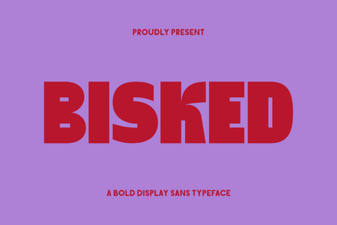 Bisked Font: Bold and Creative Typography for Modern Design
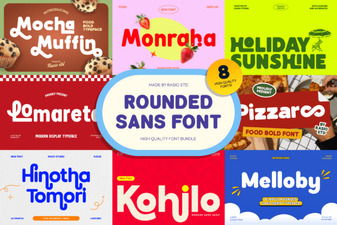 Rounded Sans Bundle Font - Modern Sans Serif Font Collection
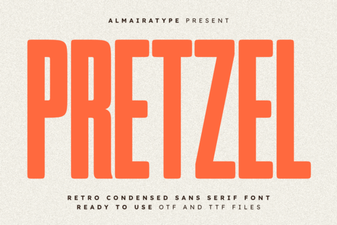 Pretzel Font - Free Sans Serif Display Typeface Download
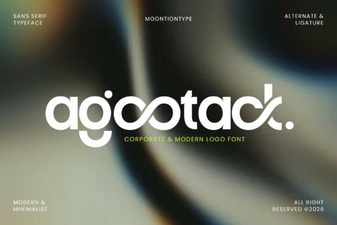 Agootack Font: Bold Display Typography for Creative Projects
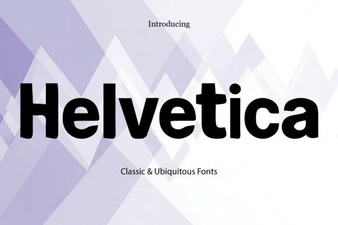 Helvetica Font: Timeless Design and Creative Inspiration
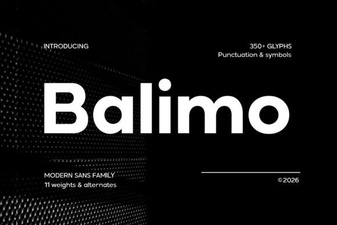 Balimo Font: Elegant Design for Creative Projects